The outreach platform that searches live
Describe who you want in plain English. Outiy finds real people, verifies every address, and runs email and LinkedIn sequences from your own inbox — then catches the replies and the meetings.
No card to start · Cancel any time · GDPR-ready
Works with the tools you already use
- Gmail
- Google Workspace
- Outlook
- Microsoft 365
- Google Calendar
- HubSpot
- Salesforce
- Pipedrive
- Zoho CRM
- Slack
- Microsoft Teams
- Zapier
- Make
- Calendly
- Cal.com
- Webhooks & API
One platform
From a sentence to a signed deal
Five jobs that usually need five tools and a spreadsheet, done in one place with one login.
The actual product
No mock-ups. These are the real screens.
Every picture on this page is taken from a working Outiy workspace, on a laptop and on a phone.
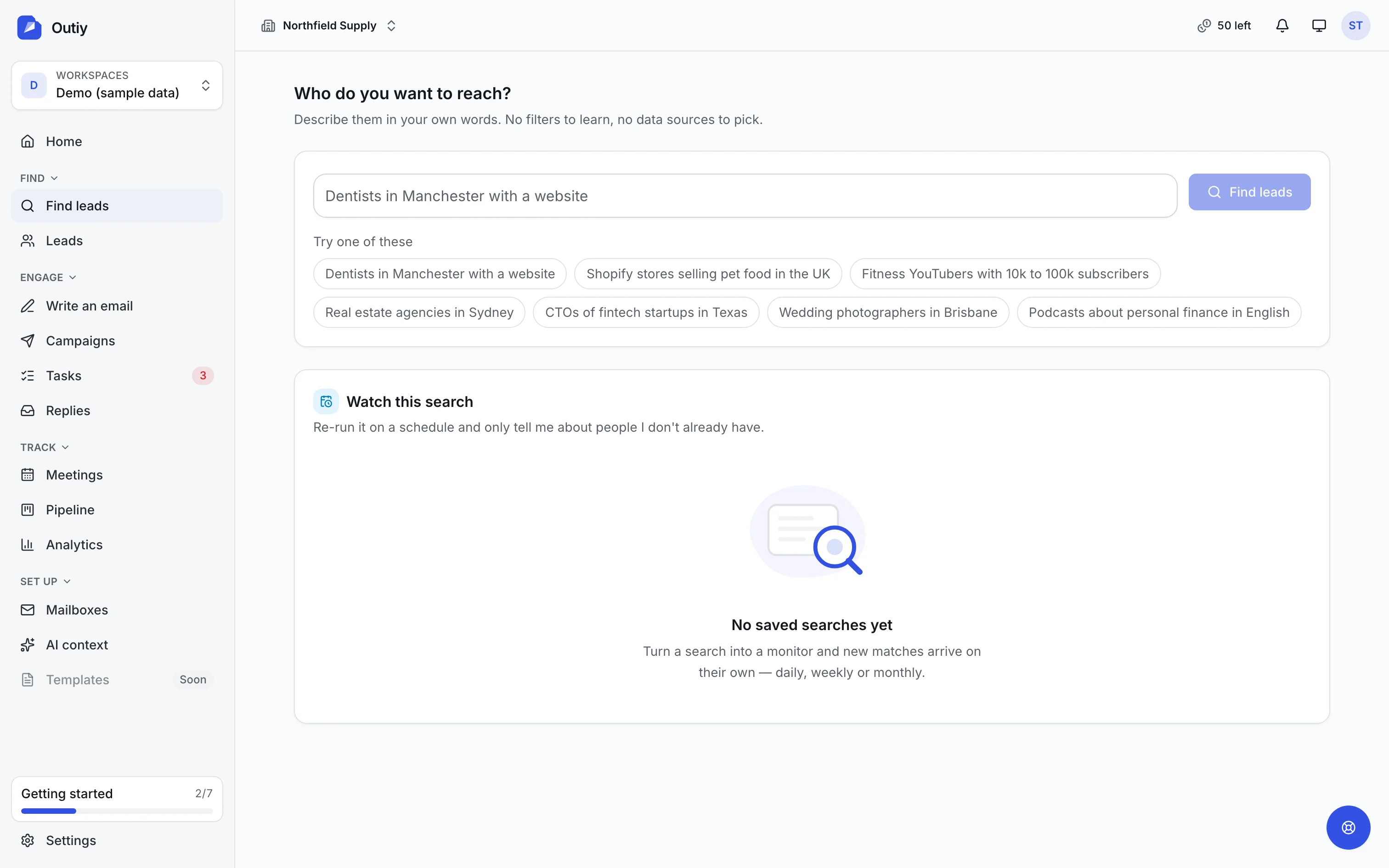
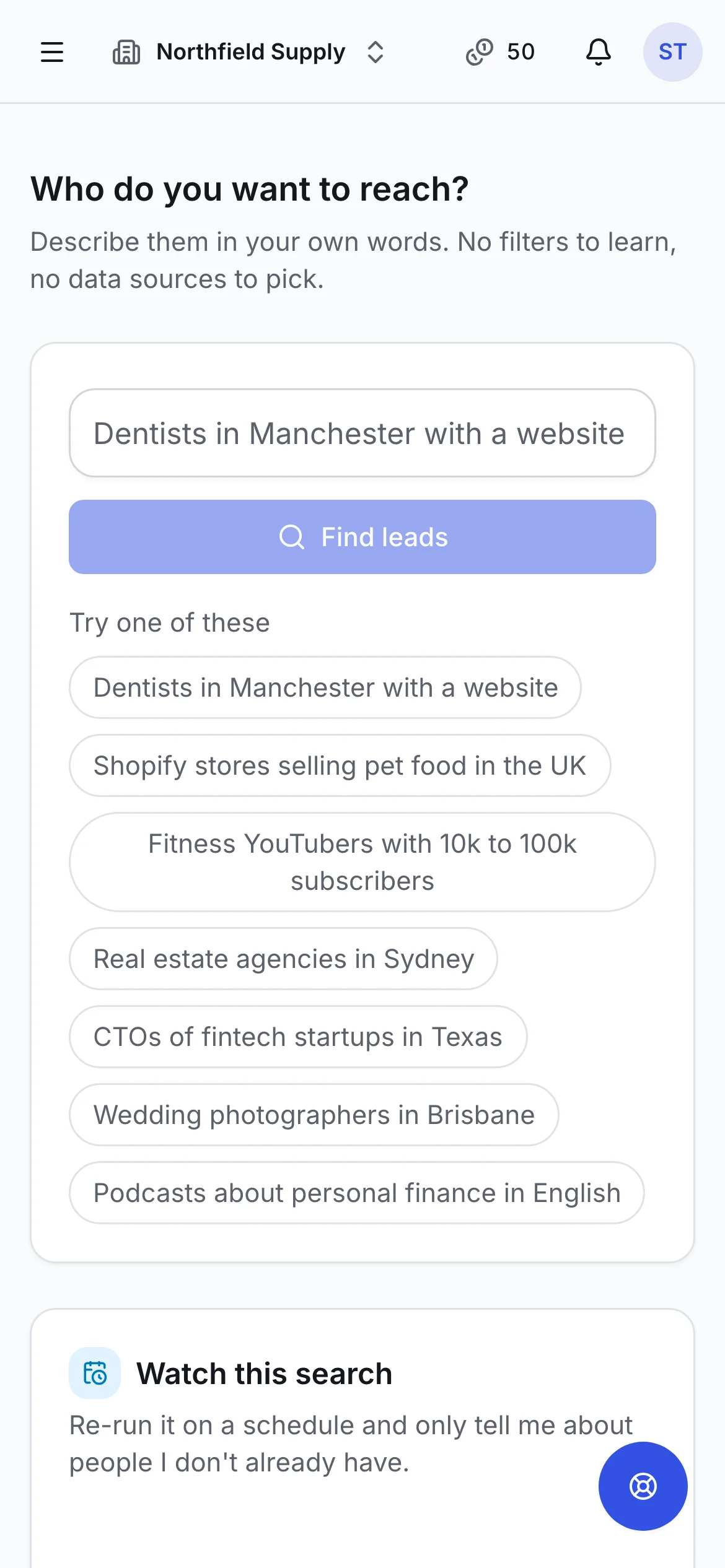
Live search
Describe your ideal customer. Get people you can actually reach.
Type who you want in plain English. Outiy plans the search, reads the live web and trusted data sources, and hands back real people with verified contact details — not a stale list someone exported last year.
- Plain words in, a plan out. “Dental clinics in Manchester with a website” becomes an editable plan: industries, places, roles and how many leads, with the cost shown before anything is spent.
- Searched live, when you ask. Company websites, business listings, registries and licensed data are read at the moment you search, so records are as fresh as the web itself.
- Only pay for what is new. A lead counts against your allowance only if it is new to your workspace and has a way to contact it. Duplicates and dead ends are free.
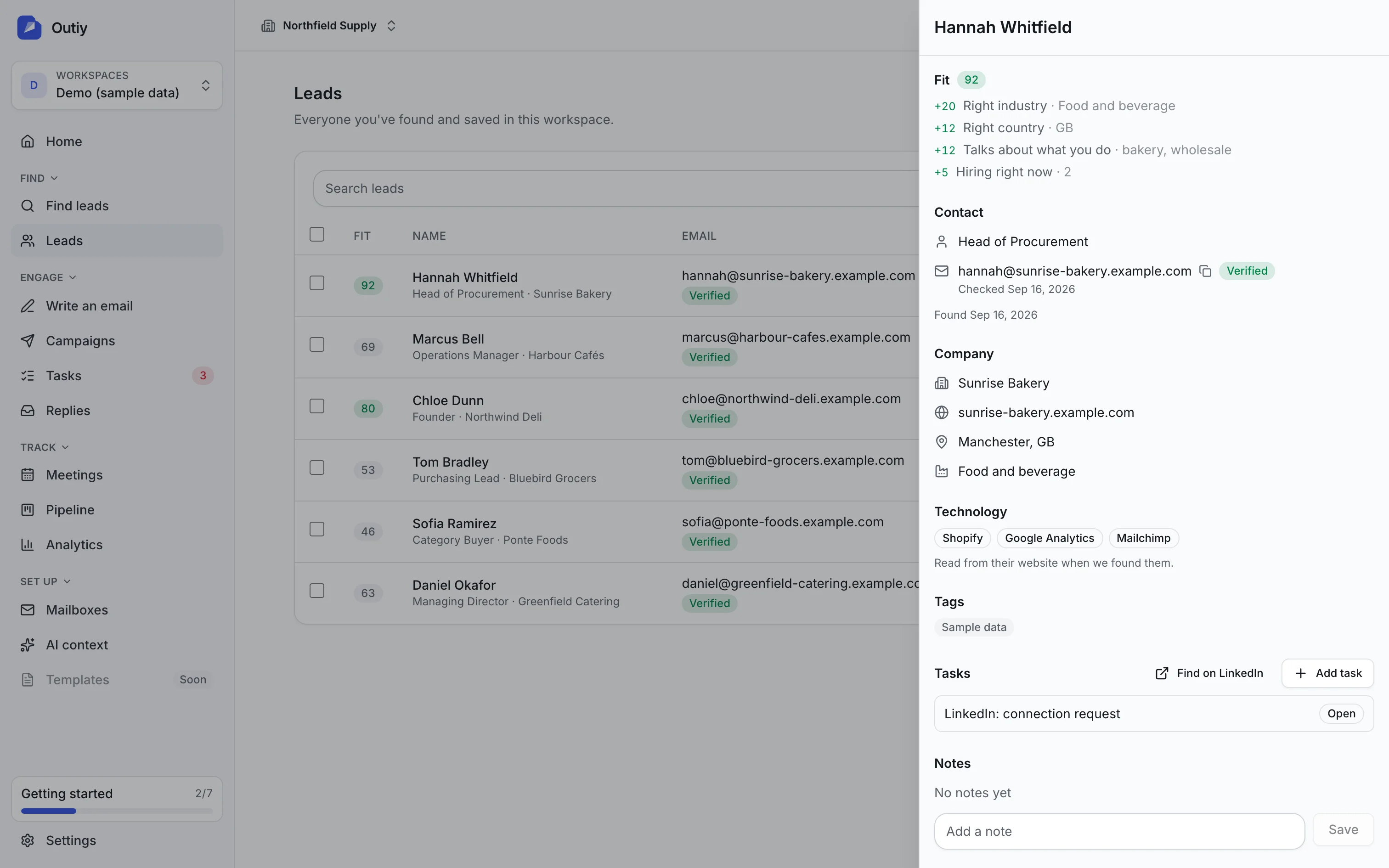
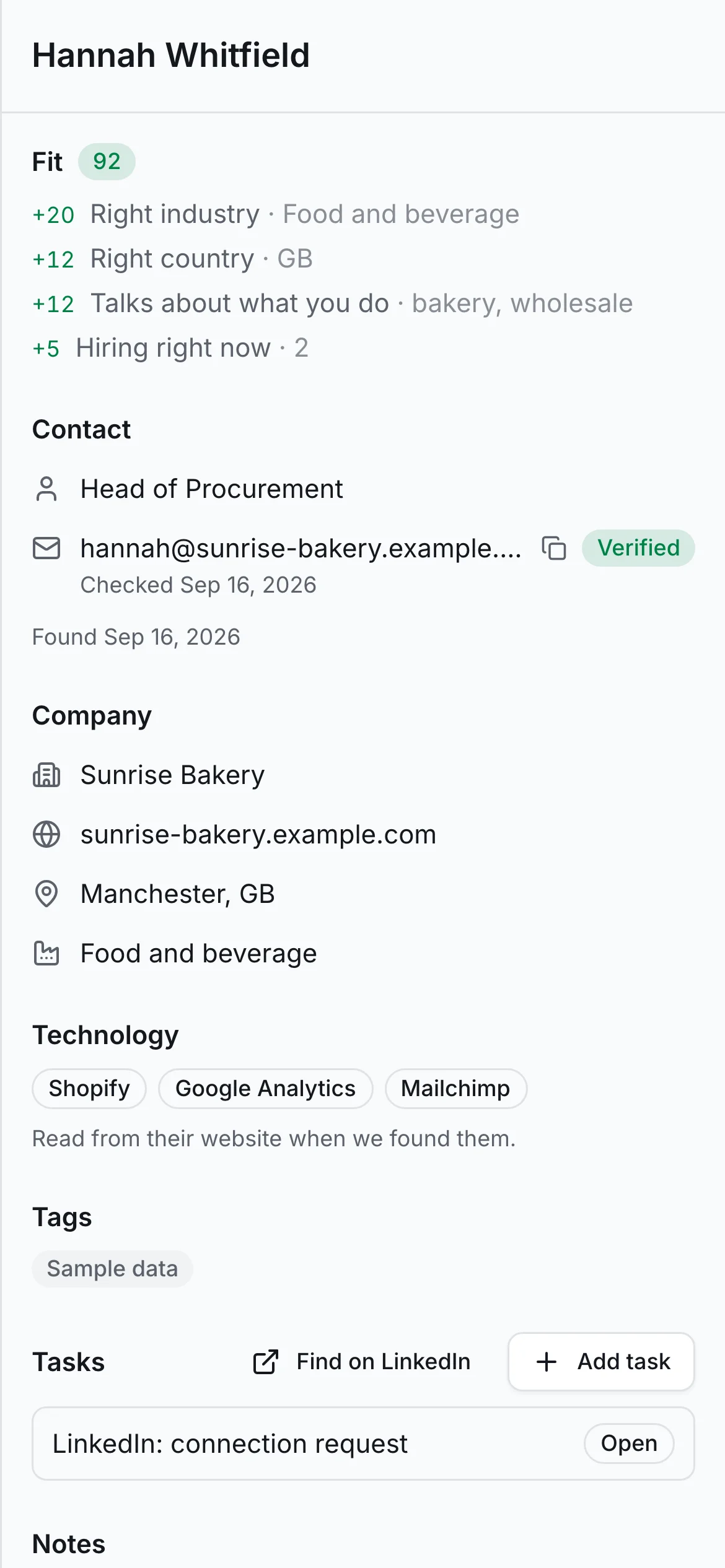
Data quality
Every address checked before you send a single email.
Outiy verifies each email address against the mail server that owns it, finds missing addresses by learning a company’s own pattern, and adds the company signals that make an email relevant.
- Verified, not guessed. Addresses are checked without sending mail. Anything risky is labelled, and addresses taken from public profiles cannot be emailed until verification confirms them.
- Technologies and hiring. See which tools a company’s website runs and which roles it is hiring for, straight from its own pages.
- Import and clean your own lists. Upload CSV or Excel files, map columns, de-duplicate against your workspace and your do-not-contact list, and verify in one step.
Email and LinkedIn
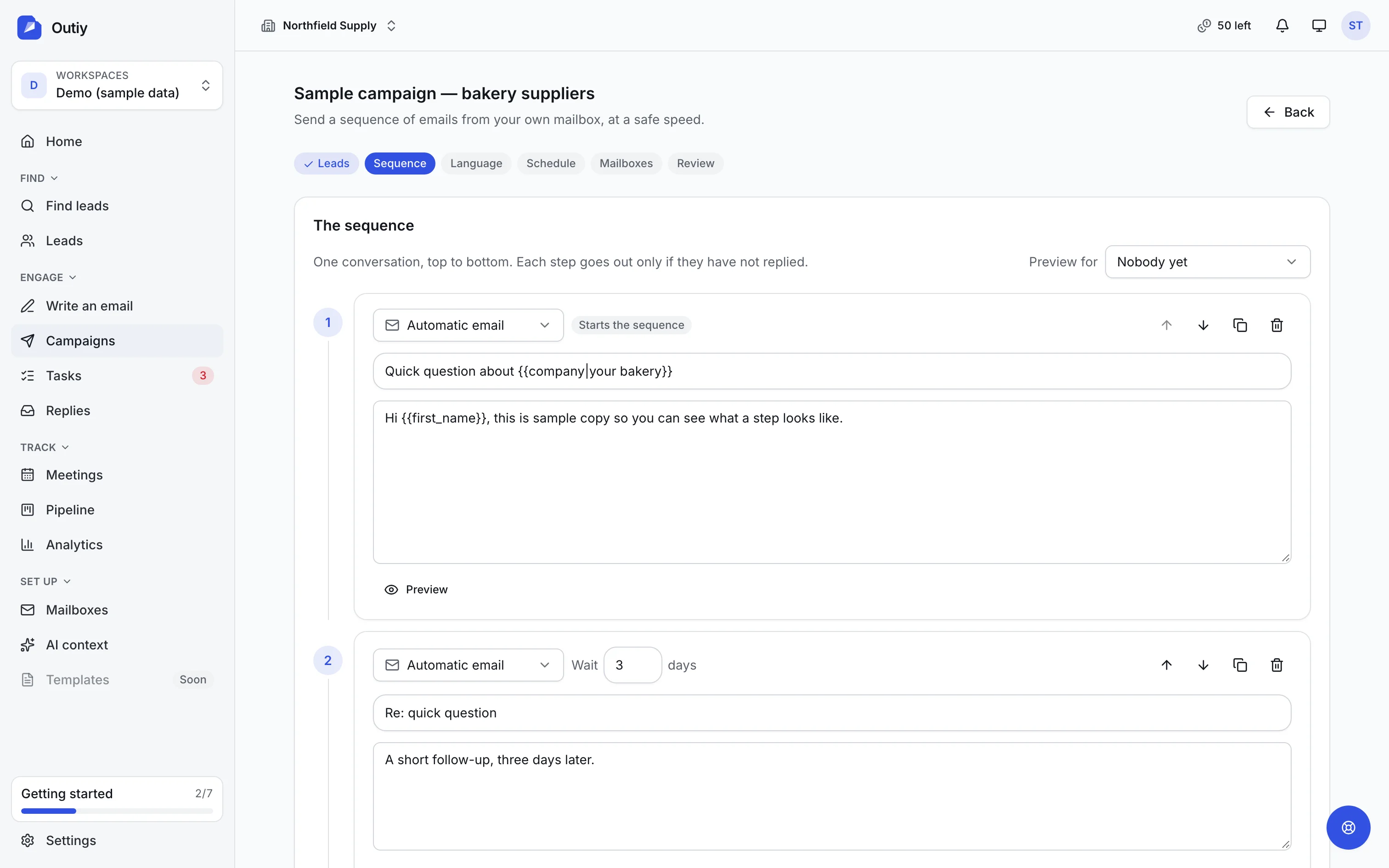
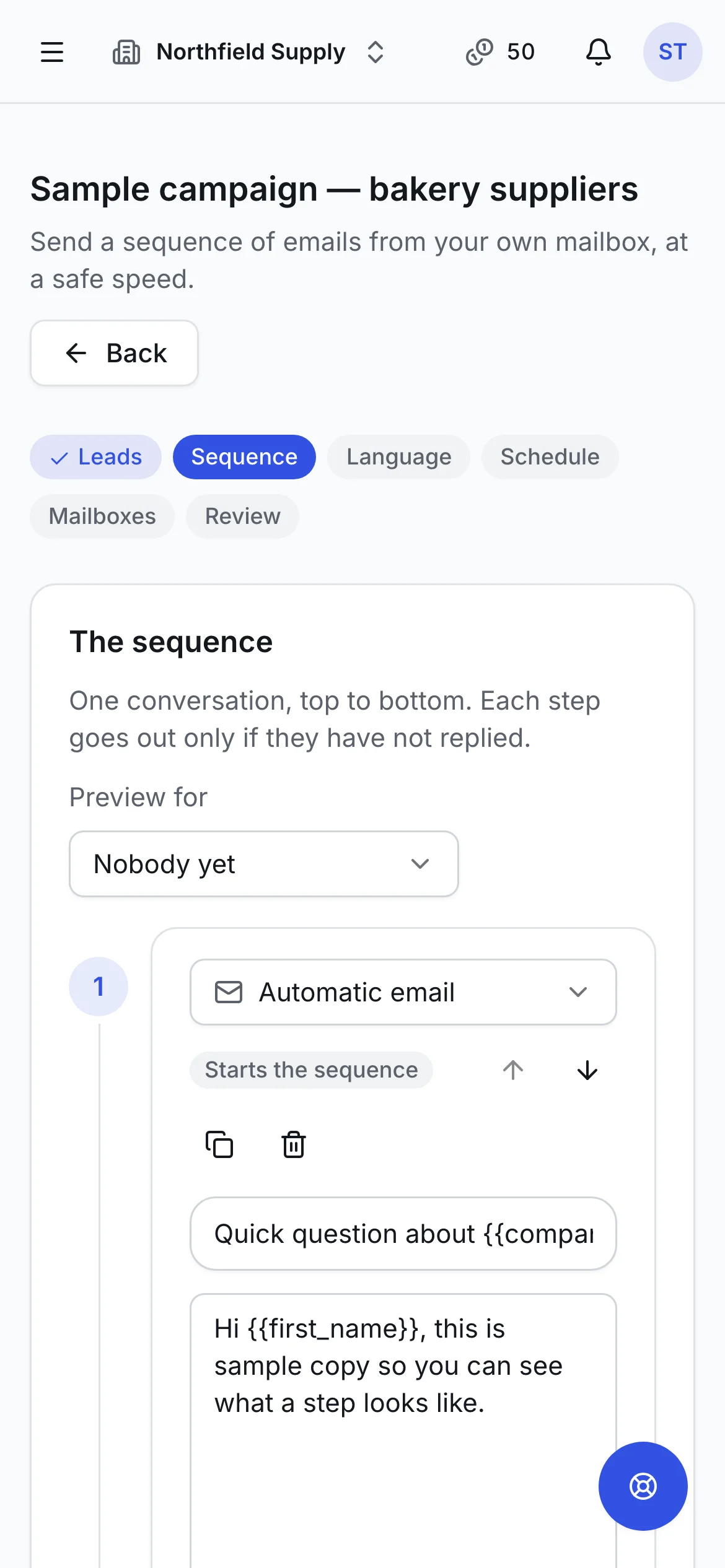
Sequences that mix automatic email, reviewed email and LinkedIn steps.
Build a sequence in minutes: automatic emails that send on their own, manual emails you check before they go, and LinkedIn steps done in your own browser. Start from a template, describe it and let Outiy write every step, or write it yourself. It sends from your own Gmail or Outlook, at a pace that keeps your account healthy.
- One timeline. The whole conversation on one screen: six step types, the wait before each one, and — once it has run — what each step actually did.
- Three ways to start. A template with the shape already right, a brief the AI turns into every step at once, or an empty first email.
- Your inbox, your reputation. Emails leave from your own mailbox, with ramp-up limits for new accounts and spacing that looks human.
Browser extension
LinkedIn, from the page you are already on.
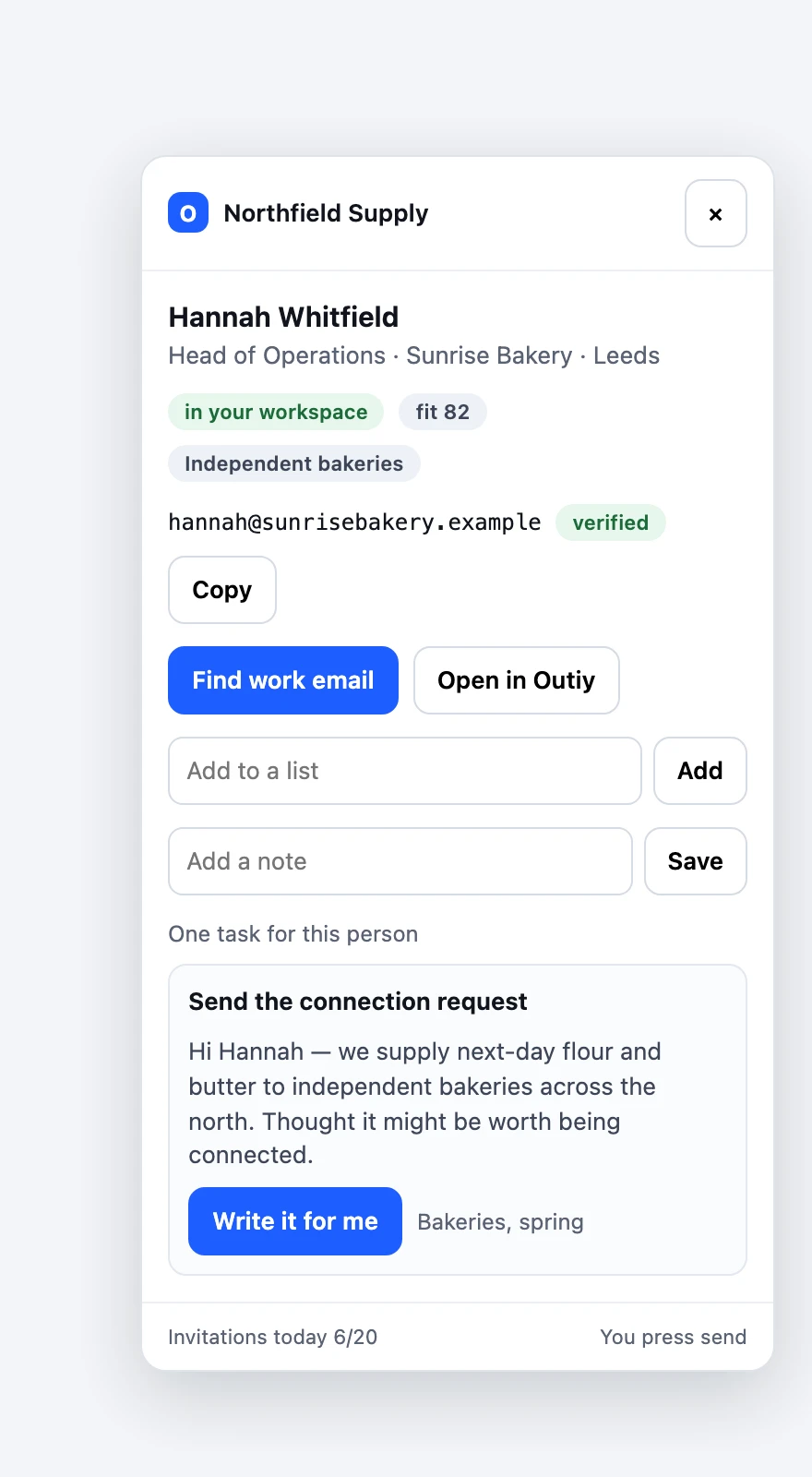
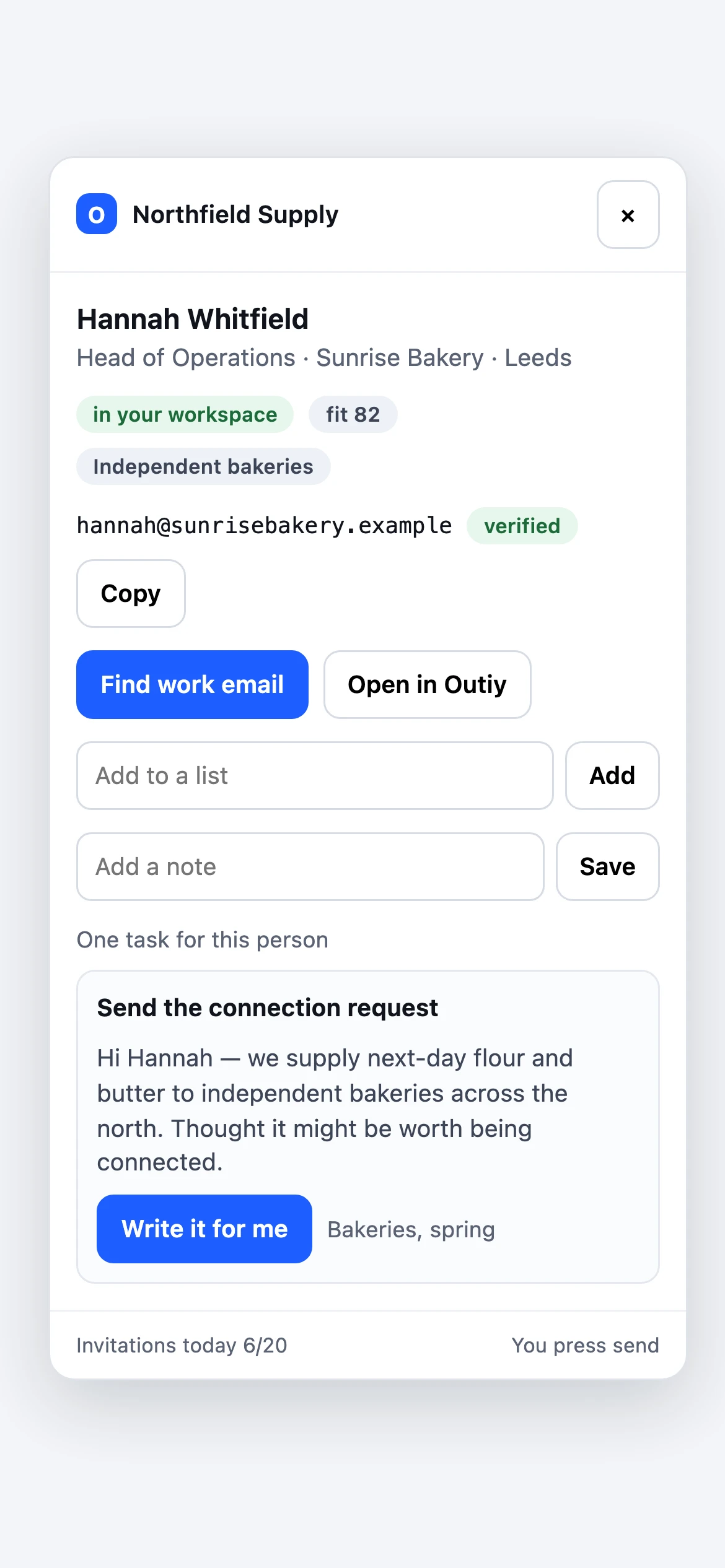
The Outiy extension works inside your own browser and your own LinkedIn session. Save anyone you are looking at, find their work email, and let your sequence’s LinkedIn steps be written — and, if you want, sent — without leaving the profile.
- Save anyone, in one click. Name, role, company, place and past positions come straight off the page. Save one profile, or everybody on a search results page, into a list.
- The email LinkedIn does not show. LinkedIn hides almost everyone’s address. Outiy finds it from the name and the company domain, and verifies it before you send.
- Your sequence steps, on the page. A connection request or message due today arrives already written for that person. Press send yourself, or let Outiy send it for you.
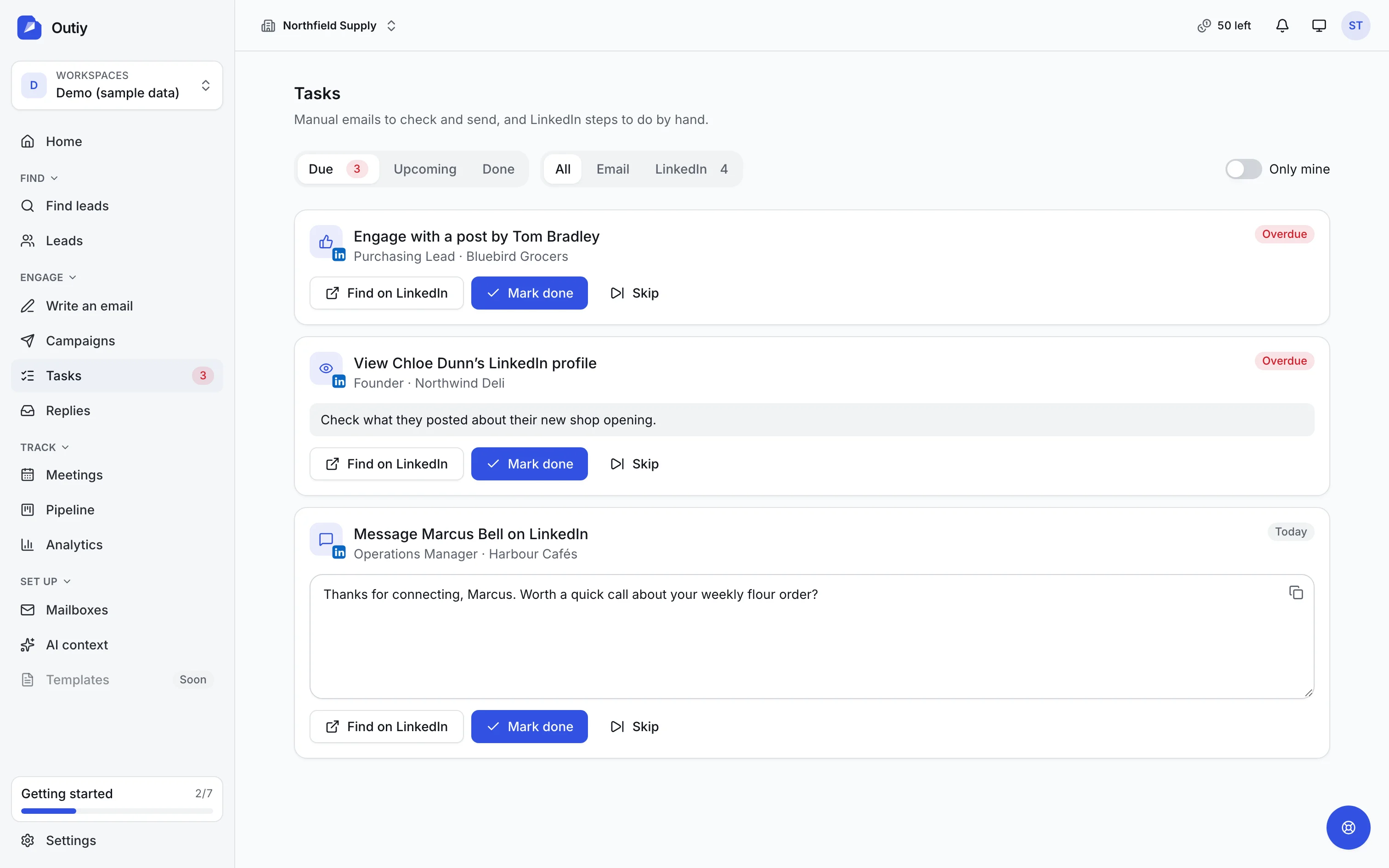
Your daily queue
One queue for the parts of outreach a person should do.
Manual emails to review and LinkedIn steps to take arrive in a single list, due today or overdue, with the note already written and the profile one click away.
- Due, upcoming and done. Overdue work first, then today, in your own time zone.
- One click to LinkedIn. Open the lead’s profile with your note ready. With the browser extension installed, the invitation or message is written on the page for you.
- Review, then send. Edit a manual email in place and send it through the same safeguards as every automatic email.
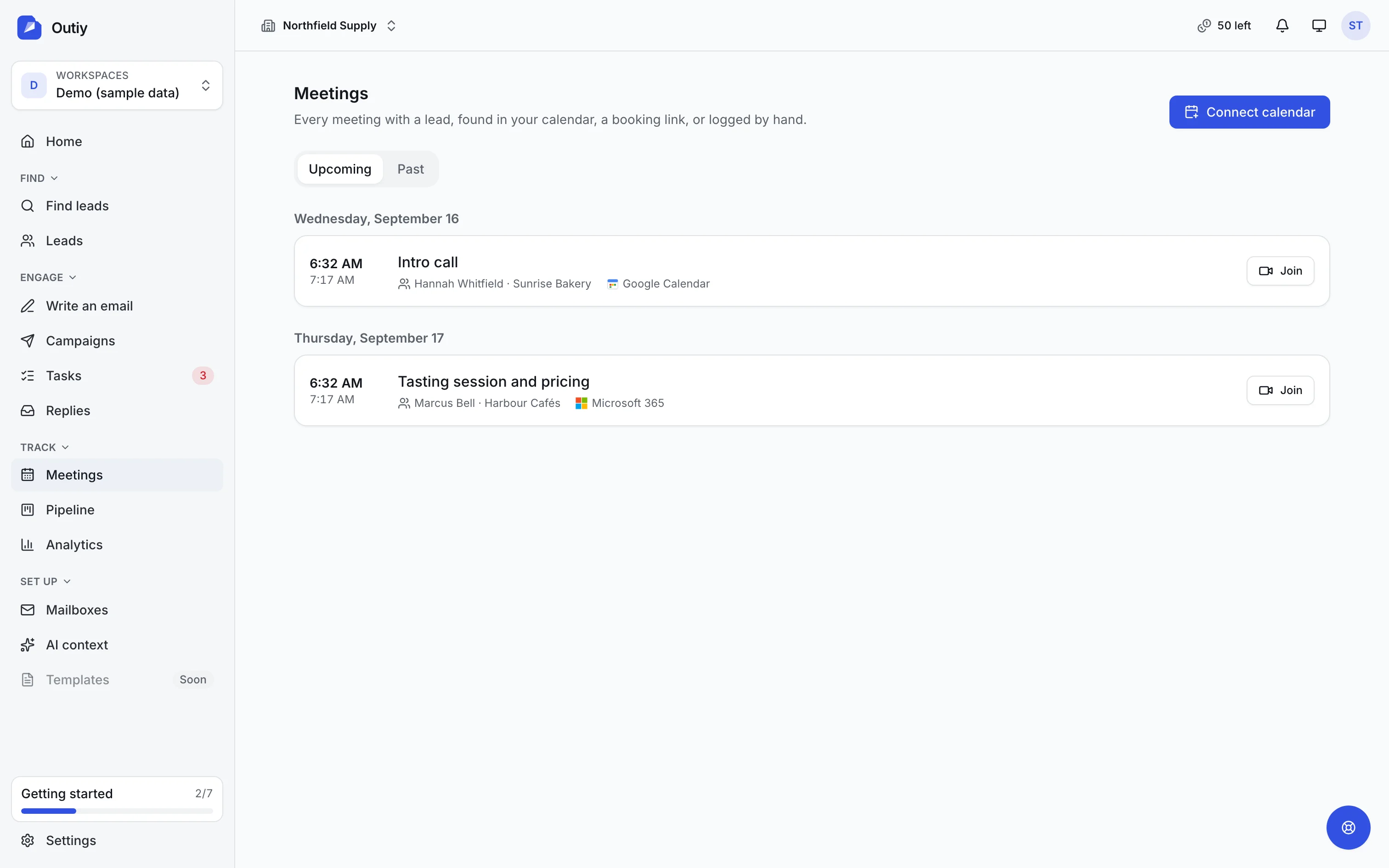
Calendar sync
Every meeting with a lead, found in your calendar automatically.
Connect Google Calendar or Microsoft 365 with read-only access. Outiy spots every meeting that includes one of your leads, stops their sequence, tells the owner, and keeps the outcome on the lead’s timeline.
- Google and Microsoft. Gmail, Google Workspace, Outlook, Microsoft 365 and Exchange Online calendars, synced every fifteen minutes.
- Only meetings with leads. Everything else in your calendar is ignored and never stored.
- Booking links too. Calendly and Cal.com bookings become meetings in the same list.
On your phone
Built for the moments between meetings
The whole product works on a phone: clear the task queue on the train, answer a reply from the café, join the call from the car park.
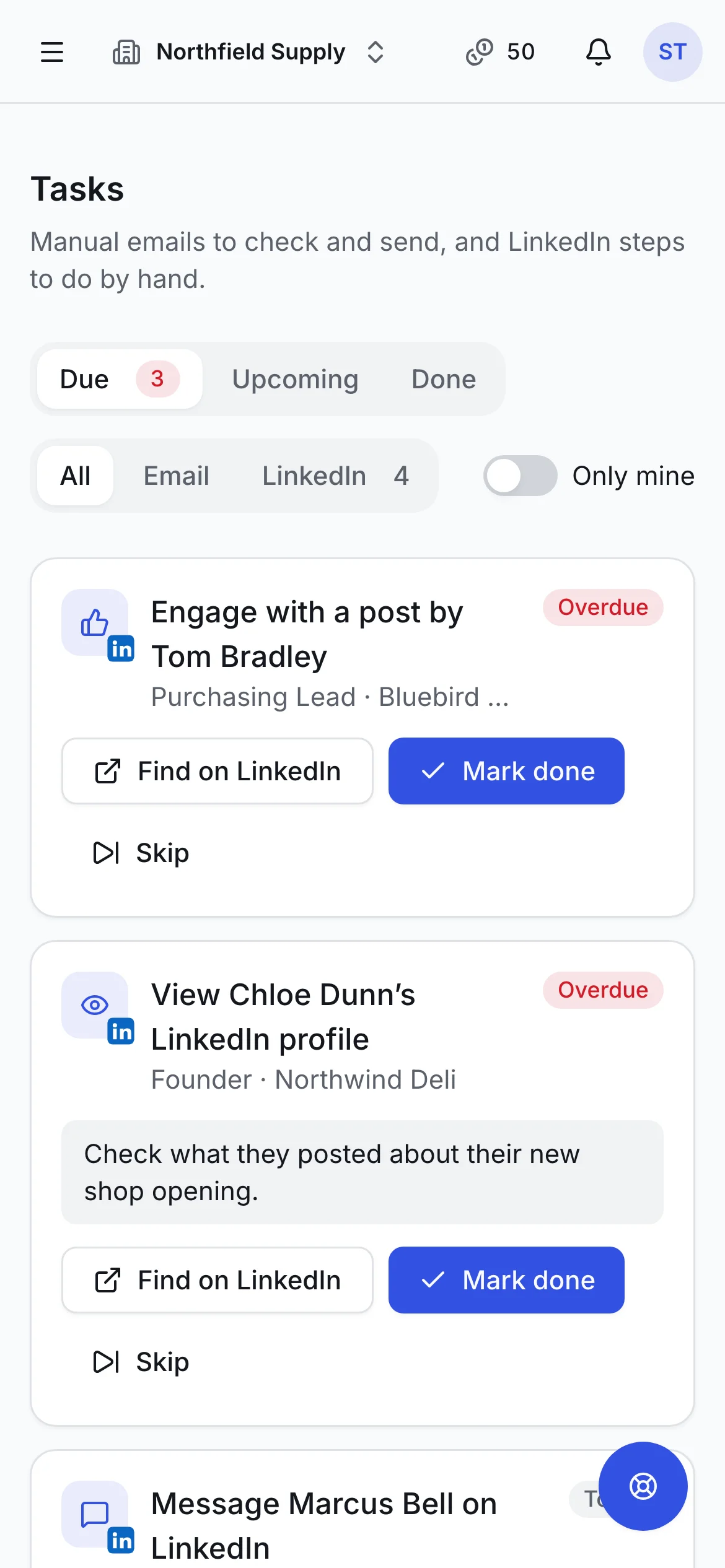
Your day, in one queue
LinkedIn steps and emails to review, overdue first.
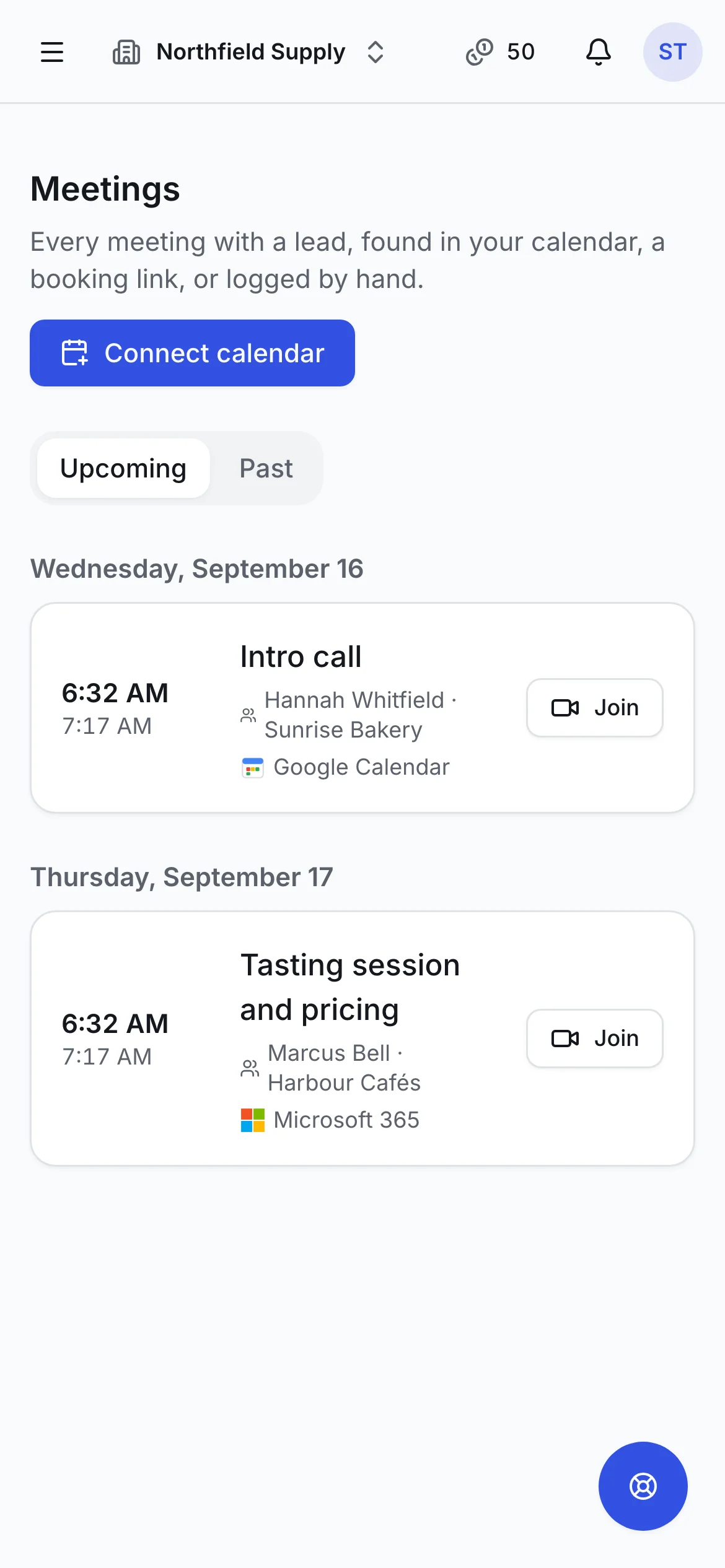
Meetings, found for you
Every meeting with a lead, straight from your calendar.
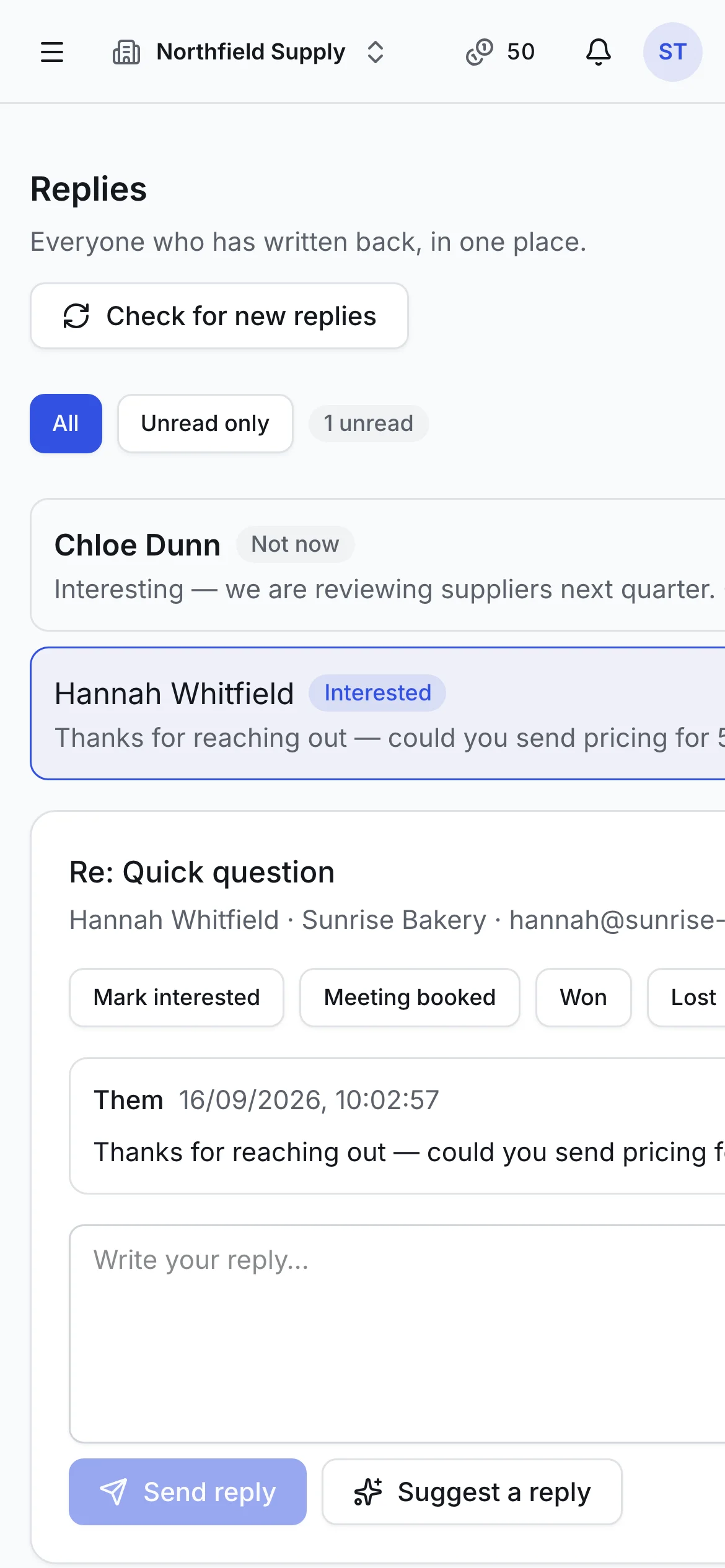
Replies on the go
Sorted by intent, with an answer ready.
Why live search
Fresh leads beat a bigger database
A contact database sells you what it collected in the past. Outiy looks when you ask, checks what it finds, and then does the outreach too.
| Outiy | Typical contact database | |
|---|---|---|
| Searches live sources at the moment you ask | ||
| Every email address verified before you can send | Often extra | |
| Plain-English search, no filter builder to learn | Varies | |
| Only charged for leads new to your workspace | Varies | |
| Email and LinkedIn sequences in the same tool | Varies | |
| Meetings found in Google or Microsoft calendars | Varies | |
| Country outreach rules checked before every send | Varies | |
| Replies sorted with AI drafts grounded in what you sell | Varies |
How it works
Your first campaign in about fifteen minutes
- 1
Tell Outiy about your business
Enter your website. Outiy reads it and writes down what you sell and who buys it, for you to approve.
- 2
Describe who you want to reach
“Independent cafés in Melbourne that are hiring.” You see the plan and the cost before anything runs.
- 3
Connect your inbox and calendar
Gmail or Outlook for sending, Google or Microsoft calendar for meetings. Your address, your reputation.
- 4
Launch and work the queue
Emails send themselves. LinkedIn steps and reviewed emails wait in Tasks. Replies and meetings come to you.
AI Context Center
Outiy reads your website and writes down what you sell and who you sell to, for you to correct and approve.
Composer
Three AI variants from a short brief, or write it yourself with variables, fallbacks and one-click rewrites.
Teams and roles
Workspaces, custom roles, shared mailboxes, SSO, SCIM, IP allowlists and an audit trail.
Trust
Careful with your data, and with theirs
Privacy and deliverability are designed in, not bolted on — for you, and for every person you contact.
Pricing
Plans that grow with your pipeline
Every plan includes verification, safe sending and support.
Starter
$99 / month
- 1 seat · 2 mailboxes
- 1,000 leads / month
- 300 AI-written emails
- Standard data coverage
Growth
Most popular$499 / month
- 5 seats · 10 mailboxes
- 10,000 leads / month
- 500 Smart AI Replies
- Extended data coverage
Scale
$999 / month
- 15 seats · 30 mailboxes
- 30,000 leads / month
- 2,000 Smart AI Replies
- Public API
Enterprise
Custom
- Custom limits
- SSO & SCIM
- Dedicated account manager
- Talk to an expert
How is Outiy different from a contact database?
A database sells you what it collected in the past. Outiy searches live sources when you ask, verifies every address, and then runs the whole outreach — sequences, tasks, replies, meetings and pipeline — in one place.
Will my emails land in spam?
Emails send from your own Gmail or Outlook, at a pace that grows as your account proves itself, only to verified addresses, with unsubscribe handling on by default. We also check your domain’s SPF, DKIM and DMARC and tell you exactly what to fix.
Is it legal to email the people I find?
Outiy applies each country’s outreach rules before every send and adds the unsubscribe link, postal address and source notice the law requires. You remain responsible for your outreach, and our Terms explain what that means.
Is Outiy GDPR compliant?
We act as a processor for your workspace data under a GDPR Article 28 Data Processing Agreement with Standard Contractual Clauses, and as a controller for our business contact index, with an easy permanent opt-out for anyone in it.
Do you train AI on my data?
No. Your data, mailbox content and calendar data are never used to train AI models, ours or anyone else’s.
Does it work with LinkedIn?
Yes, through a browser extension that works in your own browser and your own LinkedIn session: save people, find their work email, and have your sequence’s invitations and messages written for you — sent by you, or by Outiy if you turn that on.
Which countries does it support?
Outiy is built for the United Kingdom, the United States and Australia, and can write and send in around forty languages.
Can I cancel any time?
Yes. Cancel from Billing and keep access to the end of the period you paid for. Payments are taken by Webdior Solutions Private Limited.
Start finding the right people today
Sign up, describe who you want, connect your inbox. That is the whole setup.